

AI use in the workplace is rising fast. Today, 26% of employees use it a few times a week, and 12% use it daily, according to Gallup (2026).1 Most professionals know they should be using it, but the problem is that very few know how to use it well enough to actually save time and focus on high-impact work. That gap is where careers are won or lost.
Keep reading to learn how to use AI at work, which skills will help you pull ahead of casual users, and the fastest way to start building them.
What Does It Mean to Use AI in the Workplace?
Using AI effectively does not mean just asking random questions in any chatbot. It means:
- Automating repetitive tasks
- Accelerating complex work
- Making better decisions faster
- Building smarter workflows
If you are unsure where to apply it, use this simple decision filter: use AI when a task is repetitive, time-consuming, or information-heavy. Think about the weekly status report you rewrite from scratch every week, or the hour you spend combing through customer feedback trying to spot patterns.
Most people underuse AI because they only use it for writing, even though it can do much more.
Read: Top Generative AI Skills Learners and Businesses Are Prioritizing
10 Practical Ways to Use AI at Work (With Real Examples)
Need some ideas? Here are ten examples of how to use AI in the workplace daily.
1. Write and reply to emails faster
Use AI to draft responses to repetitive inquiries or set the tone for difficult conversations.
Prompt: “Review this email thread. Draft a polite, two-paragraph response declining the vendor’s proposal because of budget constraints, but leave the door open for next year.”
Benefit: Turns 15 minutes of agonizing over the right words into a 30-second review and send.
Human POV: Give context. Providing clear constraints prevents the AI from sounding generic or overly formal.
2. Summarize meetings and notes
Extract action items, decisions, and deadlines from messy transcripts.
Prompt: “Review this meeting transcript. Provide a 3-bullet executive summary, list the finalized decisions, and create a table of action items with their assigned owners.”
Benefit: Instantly aligns the team and eliminates the need to re-watch recordings or decipher scribbles.
Human POV: Formatting instructions. Telling the AI exactly how to present the data makes the output immediately usable.
3. Create reports and documents
Turn raw data, rough notes, or basic outlines into structured, professional documents.
Prompt: “Take these raw bullet points about our Q3 performance and draft a one-page update for the executive team. Group the points by ‘Wins,’ ‘Challenges,’ and ‘Next Steps.'”
Benefit: Overcomes the blank page problem and accelerates drafting so you can focus on strategic editing.
Human POV: Structural guidance. AI excels when you give it a specific framework to fill out rather than asking it to guess your preferred layout.
4. Brainstorm ideas on demand
Use an LLM (ChatGPT, Claude, Perplexity, Gemini) as a thought partner to get unstuck when you lack inspiration.
Prompt: “I am planning an internal training session on new compliance rules. Give me 5 unconventional, highly interactive ways to teach this material so the team doesn’t get bored.”
Benefit: Generates a high volume of ideas instantly, giving you a starting point to build upon.
Human POV: Role prompting. Assigning the AI a persona. For example, “Act as an expert corporate trainer” yields more creative and targeted ideas.
5. Do research in minutes
Synthesize large amounts of text, compare vendors, or extract themes from industry reports.
Prompt: “Summarize the key differences between software platform A and software platform B based on these three attached articles. Focus specifically on their pricing models and enterprise security features.”
Benefit: Saves hours of reading and manual comparison, allowing you to make faster, more confident decisions.
Human POV: Constraint setting. Limiting the AI’s focus to specific parameters prevents it from delivering irrelevant information.
6. Improve your writing clarity and tone
Refine your own drafts to ensure they hit the right note for your audience.
Prompt: “Rewrite this project update. Make it sound more confident and concise, remove passive voice, and write it at an 8th-grade reading level.”
Benefit: Acts as a real-time editor, ensuring your communication is clear and impactful without losing your voice.
Human POV: Tone calibration. Knowing how to adjust the voice of the AI ensures the final product still sounds like you.
7. Analyze data without advanced skills
Spot trends, categorize feedback, and find outliers in raw datasets without needing to be an Excel wizard.
Prompt: “Categorize these 100 customer feedback comments into 3 main themes. Then, summarize the primary reason for negative sentiment in one paragraph.”
Benefit: Turns overwhelming spreadsheets into actionable insights in seconds.
Human POV: Prompt sequencing. Asking the AI to first categorize and then analyze breaks complex tasks into manageable steps for better accuracy.
8. Prepare for meetings
Anticipate questions, outline talking points, and review historical context before stepping into a room.
Prompt: “Based on this past email thread with the client, outline the three most likely objections they will raise on today’s call and suggest a one-sentence counter-argument for each.”
Benefit: Dramatically reduces prep time while making you appear highly organized and strategic.
Human POV: Context accumulation. Feeding the AI historical data allows it to act as an informed advisor rather than a generic assistant. Just make sure to discuss this with your legal department to avoid issues related to sharing sensitive information.
9. Automate repetitive tasks and workflows
Connect AI to other apps to handle routine admin work without manual intervention.
Prompt: “Whenever a new support ticket is tagged ‘urgent,’ extract the customer name and issue, and draft a direct message to the IT channel on Slack.”
Benefit: Eliminates manual data entry and routing, freeing up your mental bandwidth for actual problem-solving.
Human POV: Workflow mapping. You must understand the exact steps of a process before you can successfully automate it.
This is helpful: The New AI Productivity Stack: How AI is Reshaping Everyday Workflows
10. Learn new skills faster using AI as a tutor
Ask AI to break down complex concepts, software features, or industry jargon on demand.
Prompt: “Explain how to run a cohort analysis in Google Analytics. Give me step-by-step instructions as if I am a beginner, and include an analogy to help me understand the concept.”
Benefit: Provides personalized, on-demand learning that adapts to your current skill level.
Human POV: Iterative prompting. The ability to ask follow-up questions like “Can you explain step 2 in more detail?” is what makes AI a powerful tutor.
Why Most People Are Still Using AI Wrong
If using AI is so powerful, why isn’t every employee seeing massive productivity gains? Because most professionals fall into a few common traps, beyond just using it for writing. Here are some of them:
- Not checking AI outputs: AI hallucinates. It can generate credible but incorrect information. Blindly copy-pasting AI outputs leads to low-quality work that creates bottlenecks and damages your credibility. You must keep a human in the loop to verify facts and exercise judgment.
- Using it randomly without a system: Many people open ChatGPT, ask a quick question, and close the tab. This scattered approach yields no real productivity gains. Effective use requires integrating AI into a repeatable workflow.
- Not saving prompts or workflows: Constantly rewriting the same prompt is a waste of time. Power users save their most effective instructions using Custom GPTs or prompt libraries so they never have to start from scratch.
- Waiting to feel “ready” before starting: AI is evolving quickly. Waiting for the technology to settle down or for yourself to feel like an expert means you are already falling behind your peers.
The good news is that you can learn how to use AI at work intentionally. And we are here to help!
The 4 Skills That Separate Casual AI Users From People Who Get Real Results
To truly learn how to use AI at work, you need to move beyond basic queries and develop four specific skills.
- AI fluency
This is the foundational understanding of what different tools do and when to use them. You need to know when a task calls for a conversational chatbot, when it requires a visual tool, and when an automated integration is the right choice.
This is the skill of crafting really good instructions so the AI consistently produces high-quality, useful results instead of generic ones. Good prompting relies on frameworks like CIDI: Context, Instruction, Details, and Input. Providing constraints, defining tone, and assigning roles drastically reduces the need for constant revisions.
Here’s a great resource for you: Best Prompt Engineering Techniques for Professionals
- Critical thinking
AI is an assistant, not a replacement for your expertise. Critical thinking is the ability to evaluate AI outputs, spot biases, identify hallucinations, and refine the work before acting on it.
- Workflow thinking
This is the ability to look at how you already work, identify where AI fits into each step, and connect those steps into a system you can reuse instead of reaching for AI randomly each time.
These are specific, tactical skills you can learn and practice. Learning them in a structured way is significantly faster than figuring it out alone through trial and error, and that distinction matters more than most people realize.
How to Start Using AI at Work This Week
You do not need to overhaul your entire job overnight. Here is a simple system to get started this week.
- Pick one task you do regularly. Choose something repetitive and low-stakes, like summarizing weekly reports, drafting standard emails, or formatting data.
- Use AI to do it once. Run the task through the AI tool you want. Test different approaches, experiment with the context, and observe the output.
- Refine your prompt. The first result will rarely be perfect. Tweak your instructions until the output meets your standard of quality.
- Save that prompt. Once you nail it, save it in a document or build a Custom GPT. A 30-minute task now takes 30 seconds.
- Expand gradually. Once you are comfortable with that single workflow, add two or three more.
Start with one task, learn the skill behind it, and build from there.
The Fastest Way to Build These Skills: Learn AI with Google on Udemy
You can experiment on your own, and you should! But solo experimentation is slow, and the learning curve is unforgiving when you are trying to figure everything out by trial and error. Structured learning reduces that timeline considerably.
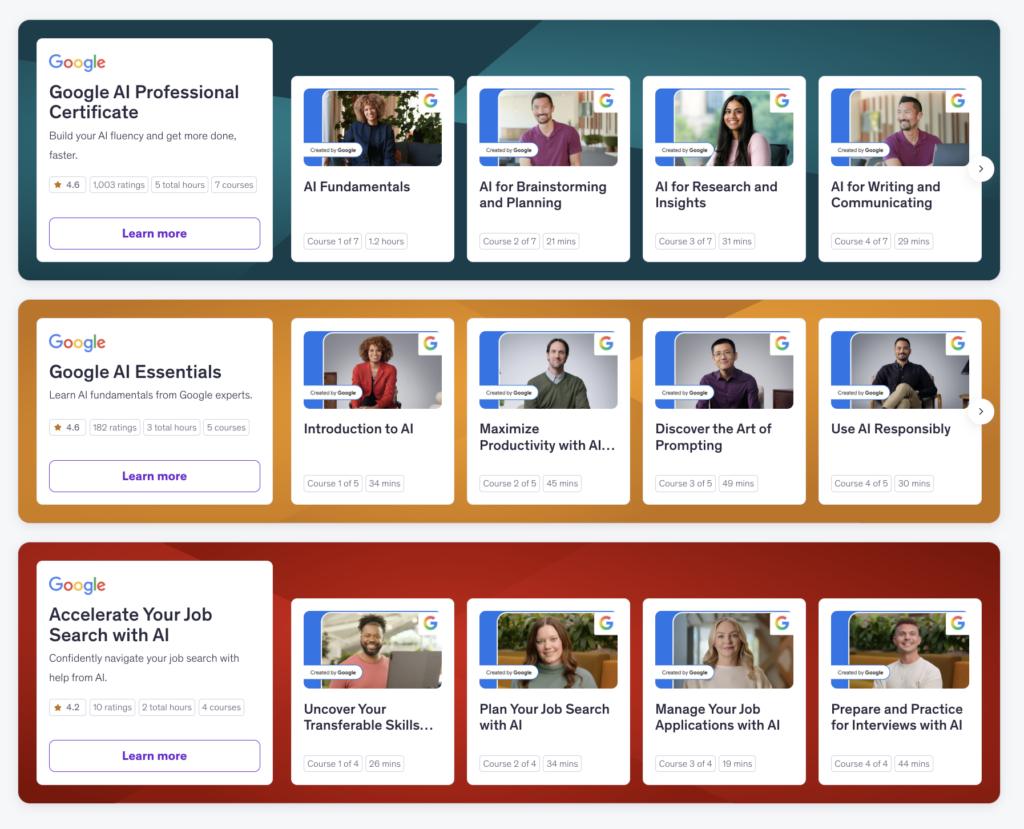
The Google AI Professional Certificate course on Udemy is built for professionals who want to reach AI fluency at work and learn how to apply AI across the skill domains that employers value most: research, data analysis, writing, brainstorming, planning, and more. No prior experience required.
- This program is designed by Google experts. The learning is hands-on, built around real job tasks so you can practice applying what you learn immediately.
- Get access to a three-month trial of Google AI Pro. You’ll get to use new and powerful features in Gemini, Flow, and NotebookLM, as well as AI-powered assistance from Gemini directly in the Google apps you already know and use. Plus, you get 2 TB of cloud storage.
The results speak for themselves. Ben C., a lawyer who took the certificate, put it this way: “I was not aware of this Google tool, but immediately after taking the course, I put it to use. Within 24 hours, I had a functional, highly useful app for my law firm.”
Brian B. echoed the sentiment: “This is definitely one of the best AI trainings I’ve ever done. It covered the basics in an easy to understand way, but didn’t dwell on them for too long — the certificate focused on actual business use cases.”
That is exactly the point. Less theory, more application, and results you can use the same week you start.
After completing the course, you will be ready to start using AI in your day-to-day work and getting better results. You will also earn an industry-recognized Google credential to demonstrate your fluency to employers and clients.
Explore the full Learn AI with Google program on Udemy and start building your AI toolkit today.
Sources
- Frequent Use of AI in the Workplace Continued to Rise in Q4. Gallup. 2026 https://www.gallup.com/workplace/701195/frequent-workplace-continued-rise.aspx